
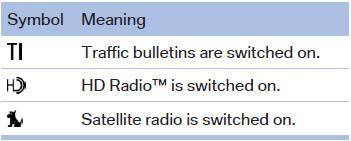
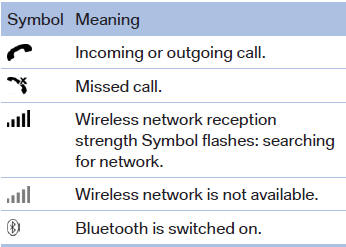
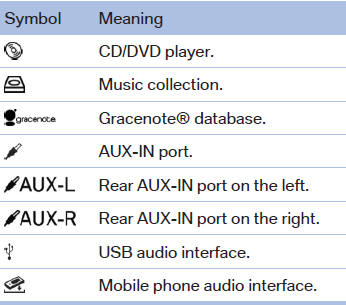
Status field symbols
The symbols are grouped as follows.
Radio symbols
Telephone symbols
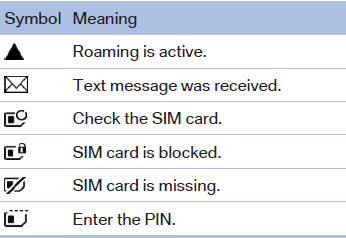
Entertainment symbols
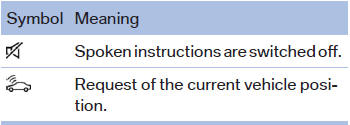
Additional symbols
See also:
Vehicle equipment
All standard, country-specific and optional
equipment that is offered in the model series is
described in this chapter. Therefore, equipment
is also described that is not available in a vehicle, ...
headlamp flasher
1. High beams
2. Headlamp flasher
3. Turn signal
Using turn signalsPress the lever beyond the resistance point. To turn off manually, press the
lever to the resistance point.
Unus ...
Opening
Front
Front
To open the cover, slide it forward
Rear
BMW X6
BMW X6
Slide the cover back.
Emptying
Take out the insert. ...