
Setting the clock
1.  Press the button. The main
menu is
displayed.
Press the button. The main
menu is
displayed.
2. Turn the controller until "Settings" is highlighted, and then press the controller.
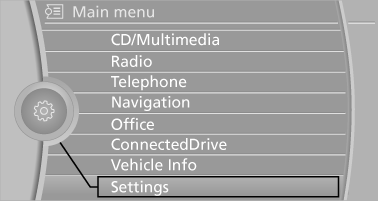
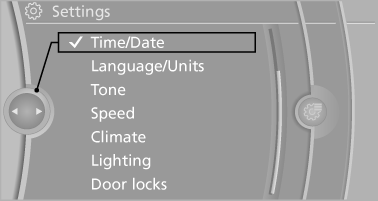
3. If necessary, move the controller to the left to display "Time/Date".
4. Turn the controller until "Time/Date" is highlighted, and then press the controller.
5. Turn the controller until "Time:" is highlighted, and then press the controller.
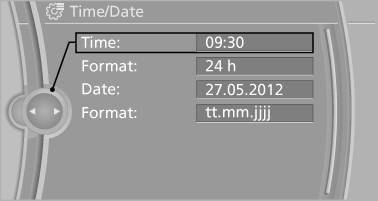
6. Turn the controller to set the hours and press the controller.
7. Turn the controller to set the minutes and press the controller.
See also:
Tire inflation pressures at max. speeds
above 100 mph/160 km/h
Speeds above 100 mph/160 km/h
In order to drive at maximum speeds in excess
of 100 mph/160 km/h, please observe, and,
if necessary, adjust tire pressures for speeds
exceeding 100 mph/160 km/h ...
Deactivating/activating DTC Dynamic Traction Control
Activating the Dynamic Traction Control DTC
provides maximum traction on loose ground.
Driving stability is limited during acceleration
and when driving in bends.
Activating DTC
Activating DT ...
Fuel gauge
Fuel gauge
The vehicle inclination may cause the display to
vary.
Notes on refueling ...