
Incoming call
Receiving calls
If the number of the caller is stored in the phone book and is transmitted by the network, the name of the contact is displayed.
Accepting a call
Via iDrive
 "Accept"
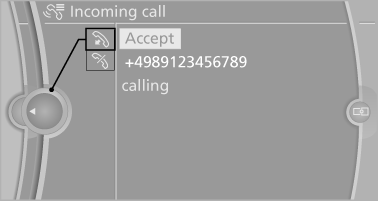
Via the button on the steering wheel
 Press the button.
Via the instrument cluster
"Accept"
Rejecting a call
Via iDrive
 "Reject"
Via the instrument cluster
"Reject"
Ending a call
Via iDrive
1. "Telephone".
2. Select an active call.
3.  "Active calls"
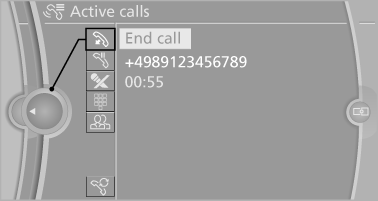
Via the button on the steering wheel
 Press the button.
Via the instrument cluster
"End call"
See also:
Observe the following when refueling
The fuel tank is full when the filler nozzle clicks
off the first time.
Handling fuels
Obey safety regulations posted at the gas
station. ...
The concept
The vehicle can be accessed without activating
the remote control.
All you need to do is to have the remote control
with you, e.g., in your jacket pocket.
The vehicle automatically detects the r ...
Increasing or decreasing vehicle speed
You can specify your desired speed in the range
from approx. 4 mph/6 km/h to approx. 15 mph/
25 km/h using the rocker switch of the cruise
control on the steering wheel. You can change
the veh ...