
Center armrest
Opening
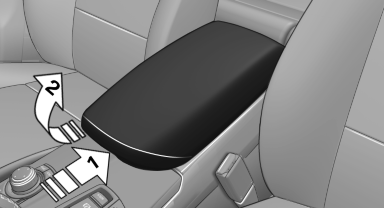
Press the button, arrow 1, and fold the center arm rest up, arrow 2.
Connection for an external audio device
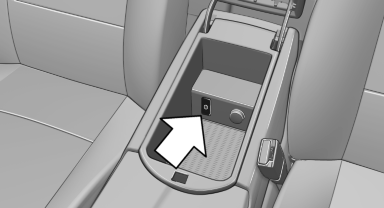
This can be used to connect an external audio device, such as an MP3 player.
► AUX-IN port.
► USB audio interface.
See also:
Low beams
Switch position with the
ignition switched
on: the low beams light up. ...
Flat Tire Monitor FTM
The conceptThe system does not measure the actual inflation pressure in the tires.
The system detects a pressure loss in a tire by comparing the rotational speeds
of the individual wheels while mov ...
Condition Based Service CBS
Sensors and special algorithms take into account
the driving conditions of your vehicle.
Based on this, Condition Based Service determines
the maintenance requirements.
The system makes it possi ...