
Changing settings
1. Select a field.
2. Turn the controller until the desired setting is displayed.
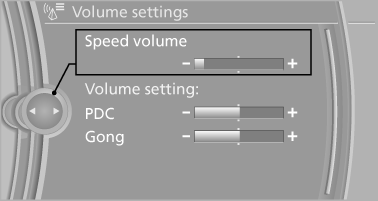
3. Press the controller.
See also:
Emergency detection of remote control
It is possible to switch on the ignition or start the
engine in situations such as the following:
▷ Interference of radio transmission to remote
control by external sources.
▷ Discha ...
Fuses
Replacing fuses
Never attempt to repair a blown fuse and
do not replace a defective fuse with a substitute
of another color or amperage rating; this could
lead to a circuit overload, ultimate ...
General information
With the DVD system in the rear you can play
CDs and DVDs with audio, video and image data.
The DVD system can also play data from attached
external audio and video devices. Audio
output is pos ...