
Multi-channel playback, surround
Setting multi-channel playback, surround
1. "CD/Multimedia", "Radio" or "Settings"
2. "Tone"
3. "Surround"
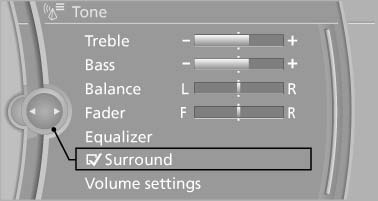
Surround
When surround is activated, multi-channel playback is simulated when a stereo audio track is played.
See also:
Fuel specifications
Gasoline engine: required fuel
Do not use fuels that are labeled at the fuel pump
as containing metals.
Only refuel with lead-free gasoline without
metal additives
Do not refuel with leaded ...
RDS
RDS broadcasts additional information, such as
the station name, in the FM wave band. When
playing a station with multiple frequencies, the
system automatically switches to the frequency
with ...
Backrest width
Change the width of the backrest using the side
wings to adjust the lateral support.
To make it easier to enter and exit the vehicle,
the backrest width temporarily opens fully. ...