
BMW X6: cargo cover
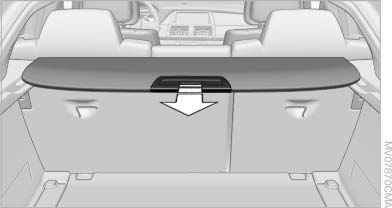
BMW X6: cargo cover
Deploy cargo cover by pulling back.
 Do not deposit heavy objects
Do not deposit heavy or hard objects on
the cargo cover. Otherwise, they may present a
danger to occupants, for instance during braking
and evasive maneuvers.◀
Removing
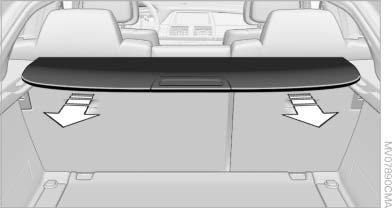
Removing
1. Grasp retracted cargo cover underneath the upper fold on both sides.
2. Pull the cover back out of the side brackets.
3. Depending on your vehicle's equipment package, you can store the cover under the floor panel in the cargo area.
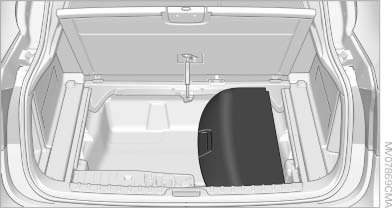
Installing
When installing, proceed in the opposite order of removal.
1. Set the cargo cover into place on the left and right sides.
2. Lift the back of the cover slightly and slide forward until it snaps into the two side brackets.
See also:
Service Request
At a glance
Sends information to your service partner to request
the arrangement of a service appointment.
The TeleService data is transmitted during
a Service Request. If possible, your service ...
Folding down
Pinch hazard during folding out and in
Make sure that the area of movement
around the folding table and the side hinges is
clear; otherwise, injuries can occur.
Pulling on the handle, draw th ...
Destination entry via map
If you only know the location of a destination or street, then you can enter
the destination with the aid of the map.
Selecting the destination1. "Navigation"
2. "Map&qu ...