
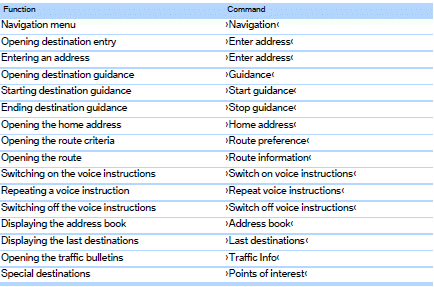
Navigation
General information
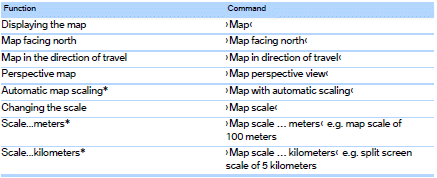
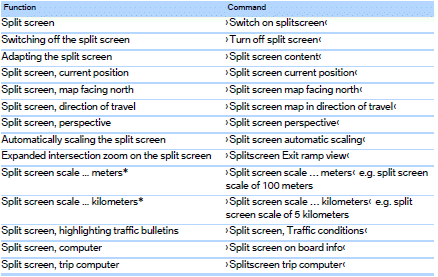
Map

See also:
Automatic tailgate operation
Adjusting opening height
You can set how far the tailgate should open.
Adjusting the opening height
When adjusting the opening height, ensure
that there is a clearance of at least 4 in/
10 cm ...
Tone
The sound settings are stored for the remote
control currently in use. ...
Repeating a spoken instruction
1. "Navigation"
2. "Map"
3. Highlight the
symbol.
4. Press the controller twice. ...