
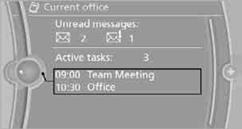
Current office
The number of unread messages and active tasks as well as upcoming appointments are displayed.
1. "Office"
2. "Current office"
3. Selecting the desired entry to display details.
See also:
Traction
The traction grades, from highest to lowest, are
AA, A, B, and C.
Those grades represent the tire’s ability to stop
on wet pavement as measured under controlled
conditions on specified governme ...
Double-joint front axle with spring struts and anti-roll bar
The front axle of the new BMW sports sedan is based on a proven design which
provides an optimal fusion of driving dynamics and comfort. The wheel suspension
combines maximum stiffness with minimu ...
On the front passenger seat
Deactivating airbags
After installing a child restraint fixing system in
the front passenger seat, make sure that the
front, knee and side airbags on the front passenger
side are deactivated.
...