
Services status
Displaying available services
Display of all services available in the vehicle.
1. "BMW Assist" or "ConnectedDrive"
2. "Service Status"
3. "Available services"
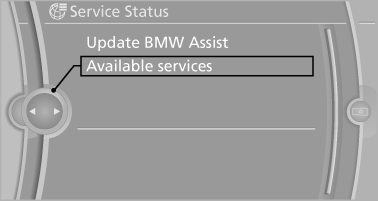
Updating BMW Assist
Manual update of all services available in the vehicle.
"Update BMW Assist"
See also:
Hiding Check Control messages
Hiding Check Control messages
Press the button in the turn signal lever up or
down.
▷ Some Check Control messages are displayed
continuously and are not cleared until
the malfunction i ...
Video playback
Country codes
Only DVDs with the code of the home region can
be played back; also refer to the information on
the DVD.
Playback
The video image is displayed on the front Control
Display up ...
Manual transmission
Starting the engine
1. Depress the brake pedal.
2. Press on the clutch and shift to neutral.
3. Press the Start/Stop button.
The ignition is activated automatically for a certain
time and is sto ...