
Office information
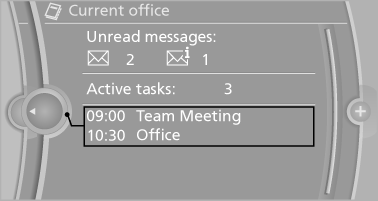
The number of unread messages and active tasks as well as the upcoming appointments are displayed.
1. "Office"
2. "Current office"
3. Select the desired entry to display details.
See also:
Rear head restraints
Correctly adjusted head restraint
A correctly adjusted head restraint reduces the
risk of injury to cervical vertebrae in the event of
an accident.
Adjusting the head restraint
Correctly adjust ...
Contacts
Note
If equipped with Professional mobile phone
preparation package.
At a glance
Contacts can be created and edited. The contacts
from the mobile phone are displayed as
well if this function ...
Contacts
At a glance
Contacts can be created and edited. The contacts
from the mobile phone* are displayed as
well if this function is supported by the mobile
phone. Addresses can be adopted as destinat ...