
Front seat heating
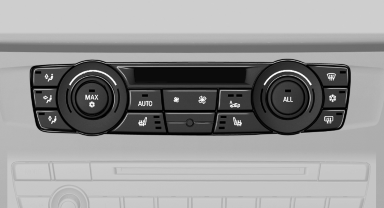
Switching on
 Press the button once for each
temperature
level.
Press the button once for each
temperature
level.
The maximum temperature is reached when three LEDs are lit.
If the drive is continued within approx. 15 minutes, the seat heating is activated automatically with the temperature selected last.
Switching off
 Press the button longer.
The LEDs go out.
See also:
Installing child restraint fixing
systems
Before mounting
If the rear seat backrests are adjustable:
Before mounting child restraint fixing systems,
return all of the rear seat backrests to the basic
position.
Notes
Manufacturer's in ...
Resetting the system
Reset the system after each correction of the
tire inflation pressure and after every tire or
wheel change.
1. "Vehicle Info"
2. "Vehicle status"
3. "Reset"
4. S ...
Engine stop
General information
Take the remote control with you
Take the remote control with you when
leaving the vehicle so that children, for example,
cannot start the engine.◄
Set the parking bra ...