
Automatic locking
The setting is stored for the remote control currently in use.
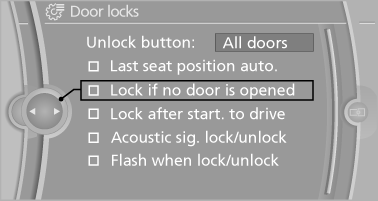
1. "Settings"
2. "Door locks"
3. Select the desired function:
► "Lock if no door is opened"
The vehicle locks automatically after a
short period of time if a door is not
opened.
► "Lock after start. to drive"
The vehicle locks automatically after
you drive away.
See also:
Using voice activation
Activating the voice activation system
1. Briefly press
the button on the
steering wheel.
2. Say the command.
Terminating the voice activation
system
Briefly press the
button on the stee ...
Reference
This chapter contains technical data, short
commands for the voice activation system, and an
index that will quickly take you to the information
you need. ...
Exterior mirrors
General information
The mirror on the passenger side is more curved
than the driver's mirror.
Estimating distances correctly
Objects reflected in the mirror are closer
than they appear. Do no ...