
Service Request
At a glance
Sends information to your service partner to request the arrangement of a service appointment.
The TeleService data is transmitted during a Service Request. If possible, your service partner will establish contact with you.
Starting a Service Request
1. "BMW Assist" or "ConnectedDrive".
2. "Service Request".
3. "Start service"
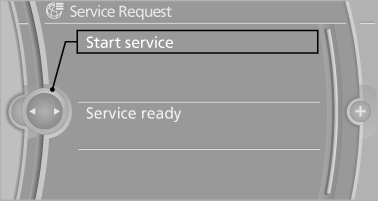
A Service Request can be started via a Check Control message.
See also:
Vehicle equipment
All standard, country-specific and optional
equipment that is offered in the model series is
described in this chapter. Therefore, equipment
is also described that is not available in a vehicle,
e ...
PDC Park Distance Control
The concept
In addition to the PDC Park Distance Control, the
backup camera, can be
switched on.
PDC supports you when parking. Objects that
you are approaching slowly in front of or behind
yo ...
Unpairing the mobile phone
1. "Telephone".
2. "Bluetooth® (phone)".
3. Highlight the mobile phone that is to be unpaired.
4. "Options" Open.
5. "Remove phone from list" ...