
Switching on
Using the button
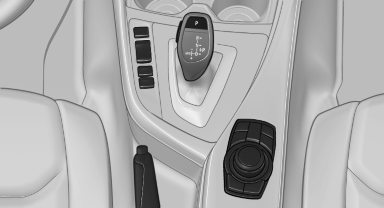
Using the button
 Press the button.
The LED lights up.
The current status of the parking space search is indicated on the Control Display.
 Parking assistant is activated
automatically.
Parking assistant is activated
automatically.
By engaging reverse
The current status of the parking space search is indicated on the Control Display.
Activate:  "Parking Assistant"
Select the
symbol in the Control Display.
"Parking Assistant"
Select the
symbol in the Control Display.
See also:
Safety switch for the rear
Press the button on the driver's door if
children are being transported in the
rear.
This locks various functions so that they cannot
be operated from the rear: safety switch. ...
Changing the list view
The list view changes every time the first symbol
on the navigation bar is pressed.
Information on the channel is displayed.
...
Reminders
Displaying reminders
Reminders of pending appointments and tasks
are displayed. After an appointment or after a
task is due, the reminder is no longer displayed.
1. "Office".
2. " ...