
Daytime running lights
With the ignition switched on, the daytime running
lights light up in position 0,  or
or
 .
.
After the ignition is switched off, the parking
lamps light up in position  .
.
Activating/deactivating
1. "Settings"
2. "Lighting"
3. "Daytime running lamps"
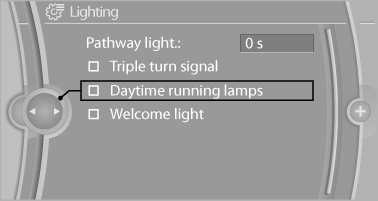
The setting is stored for the remote control currently in use.
See also:
Roller sunblinds
Roller sunblinds for the rear side
windows
Pull out the roller sunblind at the loop and hook
it onto the bracket.
Do not open the window while the roller
sunblind is raised.
Do not open the win ...
Display on the Control Display
Switching on the backup camera via the
iDrive
With PDC activated:
"Rear view camera"
The backup camera image is displayed. The setting
is stored for the remote control currently in ...
Last destinations
At a glance
The destinations previously entered are stored
automatically.
The destinations can be called up and used as a
destination for destination guidance.
Calling up the last destination
...