
Rear seat heating
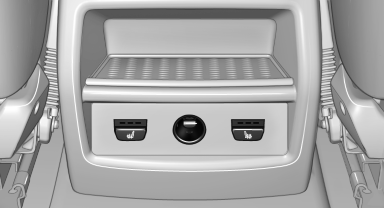
Rear seat heating
Switching on
 Press the button once for each
temperature
level.
Press the button once for each
temperature
level.
The maximum temperature is reached when three LEDs are lit.
If the drive is continued within approx. 15 minutes, the seat heating is activated automatically with the temperature selected last.
Switching off
Press the button longer.
The LEDs go out.
See also:
Controller with navigation system
Select menu items and create settings.
1. Turn.
2. Press.
3. Move in four directions.
Buttons on controller
...
DSC OFF
When DSC OFF, is active,
driving stability is limited during acceleration
and when driving in bends. ...
BMW X5: heating and ventilation, 3rd
row seats
The air in the area of the 3rd row seats can be
heated or recirculated. Air vents are located in
the storage compartment area between the
seats and in the footwell of the 3rd row seats.
BMW X ...