
Navigation
General information
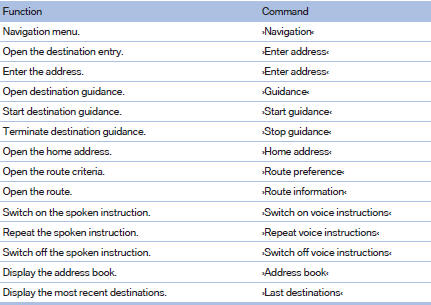

Map
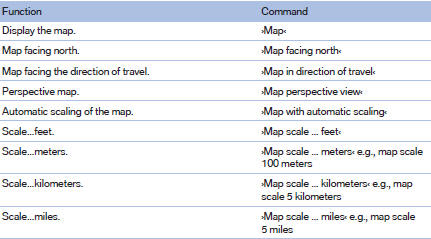
Split screen settings
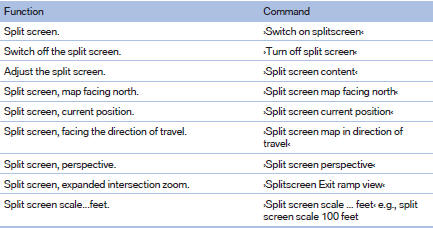
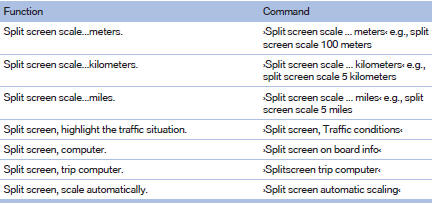
Destination guidance with intermediate destinations

See also:
Switching on the rear window wiper
Press the lever forward: intermittent wipe. When
reverse gear is engaged, the system switches to
continuous operation.
To clean the rear window, press the lever further
forward. ...
Maintenance
Maintain the vehicle regularly to sustain the road
safety, operational reliability and the New Vehicle
Limited Warranty.
Specifications for required maintenance measures:
▷ BMW Maintenance ...
Automatic tailgate operation
Adjusting the opening height
You can set how far the tailgate should open.
Adjusting the opening height
When adjusting the opening height, ensure
that there is a clearance of at least
4 in/10 cm ...