
In cargo area
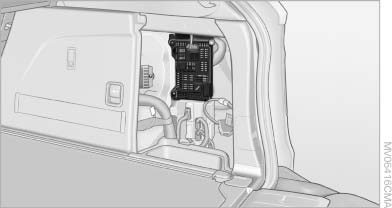
Open the right-hand side panel in the cargo area.
See also:
Using voice activation
Activating the voice activation system
1. Press the button on the
steering
wheel.
2. Wait for the signal.
3. Say the command.
The command is displayed in the instrument
cluster.
This symb ...
The concept
This system reduces undesirable vehicle motion
when using a dynamic driving style or traveling
on uneven road surfaces.
The system enhances driving dynamics and
comfort as required for the road ...
Fast forward/reverse
Forward/reverse with DVD control
1. Press the
button on the remote control
during playback.
2. Select the symbol.
3. Press the button.
4. Press the button several times to increa ...