
New contact
1. "Contacts"
2. "New contact"
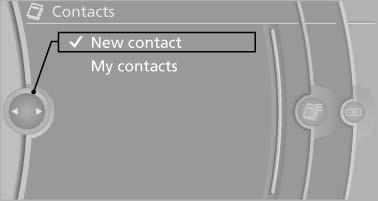
New contact
3. The entry fields are still filled with the previous
entries: "Delete input fields"
4. Fill in the entry fields: select the symbol next
to the entry field.
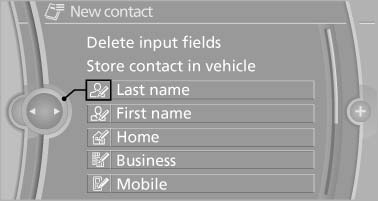
Fill in the entry fields: select the symbol next
to the entry field
5. Enter the text
In vehicles equipped with a navigation system:
it is only possible to enter addresses
that are contained in the vehicle navigation
data. This ensures that destination guidance
is possible for all addresses.
6. If necessary, "Store".
7. "Store contact in vehicle"
See also:
Phone book
Displays
The phone book accesses the contacts and
shows all contacts for which a phone number
has been stored. The entries can be selected to
make a call.
1. "Telephone"
2. "Ph ...
Opening the hood
Working in the engine compartment
Never attempt to perform any service or
repair operations on your vehicle without the
necessary professional technical training.
If you are unfamiliar with th ...
Traffic bulletins on the map
General information
"Traffic conditions/gray map" Active: indication
on the control display is switched to shades of
gray. This enables a better view of the traffic
bulletins. Day/night ...