
Selecting a destination from the address book
1. "Navigation"
2. "Address book"
Contacts with addresses are displayed if these have been checked as destinations.
If the contacts with addresses from the mobile phone are not displayed, they first need to be checked as destinations.
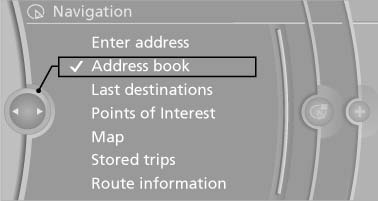
Address book
3. Select a contact in the list or, if desired, with "A-Z search".
4. "Business address" or "Home address"
See also:
The Inside
The X6's cabin is something of a dichotomy. The severe dashboard angles and
technology-laden center console — which features a joystick-style gear selector
for the automatic transmission and the i ...
In interior
The fuses are located in the front passenger
footwell on the underside of the instrument cluster.
1. Unscrew screws, refer to arrows, of footwell
trim panel.
2. Lay the trim panel in the footw ...
Playing music
Music search
All tracks for which additional information has
been stored can be accessed by the music search. Tracks without additional
information
can be called up via the corresponding album,
...