
Visual warning
The approach to an object can be shown on the Control Display.
When the distance to an object is small, the PDC display correspondingly shows a red bar in front of the vehicle.
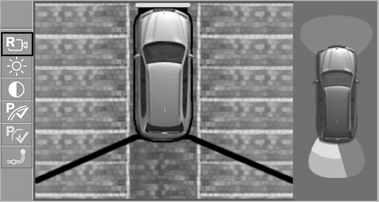
The display appears as soon as Top View is activated
The display appears as soon as Top View is activated.
If the last image selected was the rear view camera, this is displayed again. To switch to Top View:
 "Rear view camera"
Select the symbol on
the Control Display.
"Rear view camera"
Select the symbol on
the Control Display.
The setting is stored for the remote control currently in use.
See also:
Enabling operation in the rear
Only possible via the iDrive in the front.
1. "Settings"
2. "Allow rear control"
3. Select the desired priority.
...
Using the remote control
General information
Take the remote control with you
People or animals left unattended in a
parked vehicle can lock the doors from the inside.
Always take the remote control with you
when lea ...
New wheels and tires
Have new wheels and tires installed only by
your BMW center or tire shop that works according to BMW repair procedures with
correspondingly trained personnel. If this work is not carried out prop ...