
Assistance functions
Functional requirement
▷ Rear view camera is switched on.
▷ Tailgate is completely closed.
Pathway lines
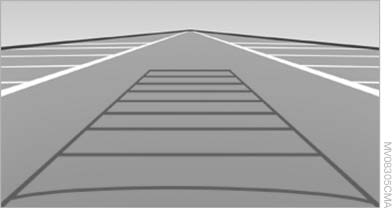
Pathway lines
▷ Can be displayed in the image of the rear view camera when the transmission is in reverse.
▷ Help estimate the required amount of space
when parking and maneuvering on a flat road
surface.
▷ Depend on the current steering angle and
are continuously adapted to movements of
the steering wheel.
Show the parking aid lines via the iDrive
Turning lines
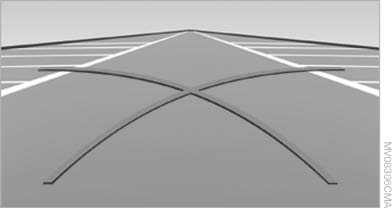
Turning lines
▷ Can be displayed in the image of the rear
view camera.
▷ Show the path of the smallest turning circle
on a flat road surface.
▷ When the steering wheel is turned, only one
turning line is displayed.
Show the parking aid lines via the iDrive
Parking using pathway and turning lines
1. Position the vehicle so that the turning lines lead into the margins of the parking space
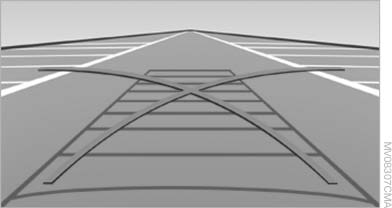
Parking using pathway and turning
lines
2. Turn the steering wheel to the point where the pathway line covers the corresponding turning circle line
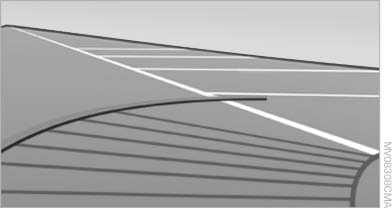
Obstacle marking
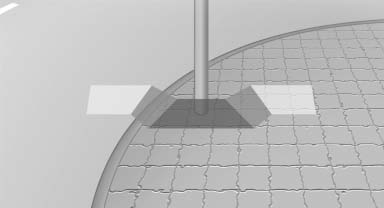
Obstacle marking
▷ Three-dimensionally shaped markings can be displayed in the image of the rear view camera.
Their color gradation corresponds to the markings in PDC. This helps estimate the distance to the object pictured.
Show the obstacle marking via the iDrive
See also:
Jump starting
Notes
If the battery is discharged, an engine can be
started using the battery of another vehicle and
two jumper cables. Only use jumper cables with
fully insulated clamp handles.
To prevent p ...
Adjusting
The parking lamps or low beams
must be switched on to adjust the
brightness.
Adjust the brightness using the
thumbwheel. ...
Snow chains
Fine-link snow chains
Only certain types of fine-link snow chains have
been tested by the manufacturer of your vehicle,
classified as road-safe and recommended.
Consult your service center for m ...