
Storing the current speed
Push the lever, arrow 1, or pull it briefly, arrow 2.
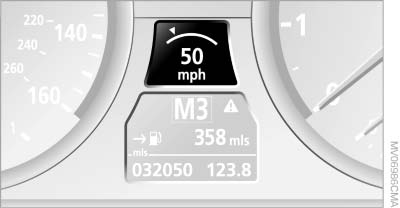
Storing the current speed
The system stores the current vehicle speed. It is indicated on the speedometer and briefly in the instrument panel.
Increasing desired speed
Press or briefly push the lever up to or beyond the resistance point, arrow 1, until the desired speed is displayed.
The displayed speed is stored and the vehicle reaches the stored speed if the road is clear.
▷ With each activation to the resistance point, the desired speed increases by approx.
1 mph/1 km/h.
▷ With each activation beyond the resistance
point, the desired speed increases by a maximum
of 5 mph/10 km/h.
Reducing the desired speed
Pull the lever, arrow 2, until the desired speed is displayed.
The functions are the same as those when increasing the desired speed.
See also:
Operating principle
With the ignition at radio readiness or beyond, , the following message is displayed
on the Control Display:
To hide the message: Press the controller.
The main menu is displayed.
The message i ...
Vehicle equipment
All standard, country-specific and optional
equipment that is offered in the model series is
described in this chapter. Therefore, equipment
is also described that is not available in a vehicle, ...
Vehicle equipment
All standard, country-specific and optional
equipment that is offered in the model series is
described in this chapter. Therefore, equipment
is also described that is not available in a vehicle,
e ...