
Brightness
Setting the brightness
To set the brightness of the Control Display:
1. "Settings"
2. "Control display"
3. "Brightness"
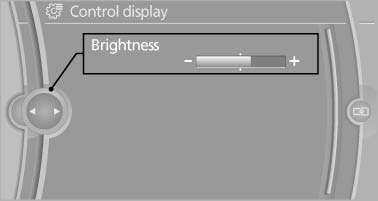
Brightness"
4. Turn the controller until the desired brightness is set.
5. Press the controller.
The setting is stored for the remote control currently in use.
Depending on the light conditions, the brightness control may not be clearly visible.
See also:
Equalizer
Setting for individual audio frequency ranges.
Adjusting the equalizer
1. "CD/Multimedia", "Radio" or "Settings"
2. "Tone"
3. "Equalizer"
4. Sele ...
Floor net
The floor net can also be used to Secure the load
and to store small parts.
Floor net
Hook the floor net into the fittings in the cargo
area floor. ...
Storage compartments in thecargo area
Storage space under the cargo floor
cover
Raise the cargo floor panel. The storage space
under the cargo floor panel is subdivided.
Two additional subdividers can be inserted to
partition it ...