
Language
Setting the language
Setting the language To set the language on the Control Display:
1. "Settings"
2. "Language/Units"
3. "Language:"
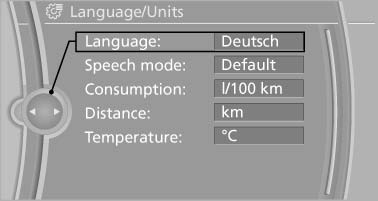
Language
4. Select the desired language.
The setting is stored for the remote control currently in use.
Setting the voice dialog
To switch between a standard dialog and a short dialog.
1. "Settings"
2. "Language/Units"
3. "Speech mode"
4. Select the desired dialog.
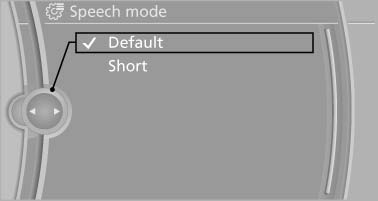
Setting the voice dialog
See also:
Received calls
Displaying calls
The 20 calls that were last received are displayed.
1. "Telephone"
2. "Received calls"
Displaying calls
Calling a number from the list
Selecting an entry.
...
Loading
Overloading the vehicle
To avoid exceeding the approved carrying
capacity of the tires, never overload the vehicle.
Overloading can lead to overheating and increases
the rate at which damage d ...
Status display
The current status of the Flat Tire Monitor can
be displayed on the Control Display, e.g.,
whether or not the FTM is active.
1. "Vehicle Info"
2. "Vehicle status"
3. " ...