
Date
The settings are stored for the remote control currently in use.
Setting the date
1. "Settings"
2. "Time/Date"
3. "Date:"
4. Turn the controller until the desired day is displayed.
5. Press the controller.
6. Make the necessary settings for the month and year.
The date is stored.
Setting the date format
1. "Settings"
2. "Time/Date"
3. "Format:"
4. Select the desired format.
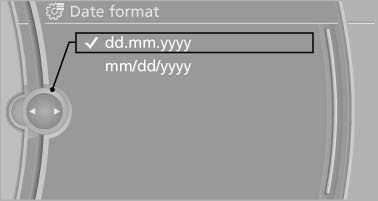
Select the desired format
The date format is stored
See also:
Setting the clock
1.
Press the button. The main menu is
displayed.
2. Turn the controller until "Settings" is highlighted,
and then press the controller.
3. If necessary, move the controller to ...
Locking and unlocking
Pressing the buttons locks and unlocks the
doors and the trunk lid when the front doors are
closed, but they are not secured against theft.
The fuel filler flap remains unlocked. ...
Warning stages
Prewarning
This warning is issued, for example, when there
is the impending danger of a collision or the distance
to the vehicle ahead is too small.
Acute warning with braking function
Warning ...