
Service requirements
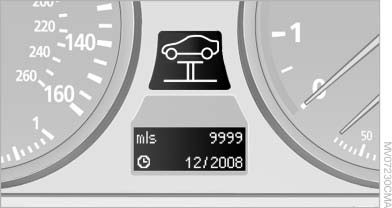
Service requirements
The remaining driving distance and the date of the next scheduled service are displayed briefly immediately after you start the engine or switch on the ignition.
The current service requirements can be read out from the remote control by the service specialist.
For certain maintenance operations, you can view the distance remaining or the due date for that operation in the instrument cluster.
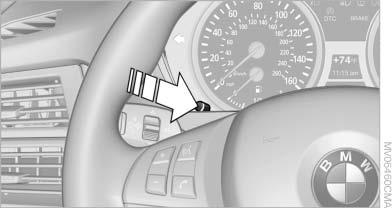
1. With the ignition switched on, press the knob in the instrument cluster, for approx. 5 seconds until the service requirements are displayed.
2. Press the knob repeatedly to display the individual service requirement items.
See also:
Innovative boot access makes life a little easier
BMW ConnectedDrive has come up with another convenience-enhancing feature:
the hands-free boot lid opening function - available for the new BMW 3-Series
Sedan in conjunction with Comfort Access - ...
Connecting electrical devices
Sockets
The lighter socket can be used as a socket for
electrical equipment while the engine is running
or when the ignition is switched on. The total
load of all sockets must not exceed 140 wa ...
Interior motion sensor
The windows and glass sunroof must be closed
for the system to function properly. ...