
Audio playback
Selecting a track using the buttonPress the
 button for the appropriate direction as often as
necessary until the desired track is reached.
button for the appropriate direction as often as
necessary until the desired track is reached.
Audio CDs
1. "CD/Multimedia"
2. "CD/DVD"
3. Select the desired CD or DVD.
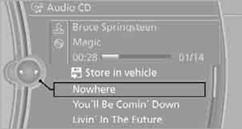
4. Select the desired track to begin playback.
CDs/DVDs with compressed audio files
Depending on the data, some letters and numbers of the CD/DVD may not be displayed correctly.
1. "CD/Multimedia"
2. "CD/DVD"
3. Select the desired CD or DVD.
4. Select the directory, if necessary.
To change to a higher level directory: move the controller to the left.
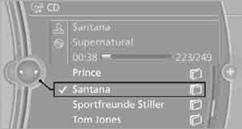
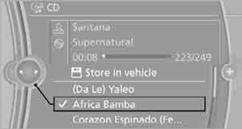
5. Select a track and press the controller.
Displaying information about the track
If information about a track has been stored, it is displayed automatically:
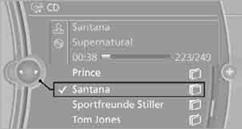
> Artist
> Album title
> Number of tracks on the CD/DVD
> Track file name
Random sequence playback, RandomThe tracks on the current CD/DVD are played once in random sequence.
1. "CD/Multimedia"
2. "CD/DVD"
3. Select the desired CD or DVD.
4. Open "Options".
5. "Random"
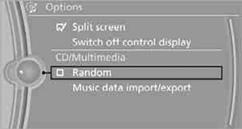
CDs/DVDs with compressed audio files: all tracks of the selected directory are played back in random order.
Random mode is switched off when the audio source is changed or the ignition is switched off.
Fast forward/reversePress and hold the button for the corresponding
direction.
Selected tracks, directories or CDs/DVDs are repeated automatically.
See also:
Car care products
BMW recommends using cleaning and care
products from BMW, since these have been
tested and approved.
Car care and cleaning products
Follow the instructions on the container.
When cleaning the ...
Rear operation
The control unit is located in the center console
in the rear.
Rear operation
1. Temperature, left rear seating area
2. AUTO program
3. Display
4. Temperature, right rear seating area
5. Sea ...
Navigation
This chapter contains various examples of how
the navigation system can guide you reliably to
your destination. ...