
CD/DVD playback
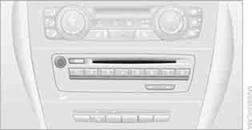
Inserting a CD/DVD
Insert the CD/DVD into the drive with the labeled side facing up. The CD/DVD is drawn in automatically.
Playback starts automatically if the sound output is on. For CDs/DVDs with compressed audio files, it can take several minutes to read in the data, depending on the directory structure.
Playable formats
CD/DVD player
> DVD: DVD-ROM, DVD-R, DVD+R, DVDRW, DVD+RW, DVD-R DL, DVD+R DL, DVD audio (video
part only), DVD video
> CD: CD-ROM, CD-R, CD-RW, CD-DA, VCD, SVCD
> Compressed audio files: MP3, WMA, AAC, M4ACD changer
> CD: CD-ROM, CD-R, CD-RW, CD-DA
Via iDrive
Fill the CD/DVD magazine and insert it.
To start playback when a CD/DVD is already in the player or changer:
1. "CD/Multimedia"
2. "CD/DVD"
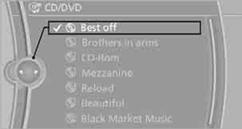
3. Select the desired CD or DVD:
Ejecting a CD/DVD
Press the  button next to the CD/DVD player. The
CD/DVD emerges slightly from the drive.
button next to the CD/DVD player. The
CD/DVD emerges slightly from the drive.
See also:
Safety
The BMW 1 Series hasn't been crash-tested. It includes frontal, front-seat
side-impact and side curtain airbags. Also standard are antilock brakes and an
electronic stability system with traction ...
Adjusting the volume
Turn the knob until the desired volume is selected.
The setting is stored for the remote control
currently in use. ...
Deleting messages
Messages from the Concierge service, My Info,
and BMW Info can be deleted.
Delete a message:
1. "Office"
2. "Messages"
3. Select the desired message.
4. Open "Options&q ...