
Selecting a station
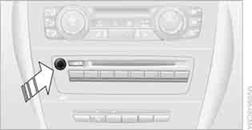
Press the knob if the sound output is switched off.
1. "Radio"
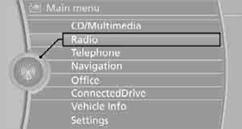
2. "FM" or "AM"
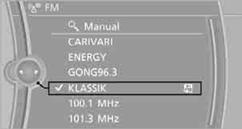
3. Select the desired station.
The selected station is stored for the remote control currently in use.
Changing stationsTurn the controller and press it or
press the  button for the corresponding direction
or
press the buttons on the steering wheel.
Selecting a station manuallyStation selection using the frequency.
1. "Radio"
2. "FM" or "AM"
3. "Manual"
4. Select the frequency: turn the controller.
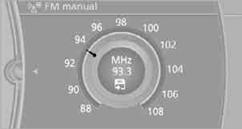
To store the station: press the controller for an extended period.
See also:
Antilock Brake System ABS
ABS prevents locking of the wheels during braking.
The vehicle remains steerable even during full
brake applications, thus increasing active
safety.
ABS is operational every time you start the e ...
Displays
Program selection
Pressing the button displays a list
of the selectable programs.
Selected program
The selected program is displayed
in the instrument cluster.
Display on the Control D ...
Radio Data System RDS
In the FM waveband, additional information is transmitted via RDS. If the reception
conditions are good, the station names are shown on the Control Display. Where reception
is poor or in the event ...