
Setting the voice dialog
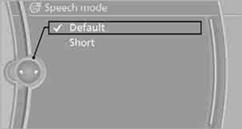
You can set whether the system uses the standard dialog or a short version.
In the short version of the voice dialog, the responses from the system are given in abbreviated form.
On the Control Display:
1. "Settings"
2. "Language/Units"
3. "Speech mode:"
4. Select a setting.
See also:
Office information
The number of unread messages and active
tasks as well as the upcoming appointments are
displayed.
1. "Office".
2. "Current office".
3. Select the desired entry to display d ...
Interior motion sensor
For the sensor to function properly, the windows
and glass sunroof/panoramic glass sunroof
must be closed. ...
Components of the integrated Owner'sManual
The integrated Owner's Manual consists of
three parts, which offer various levels of information
or access possibilities.
Quick Reference Guide
Located in the Quick Reference is important inform ...