
Control Display
Notes
▷ To clean the Control Display, follow the care
instructions
▷ Do not place objects close to the Control
Display; otherwise, the Control Display can
be damaged.
Switching off
1.  Press the button.
2. "Switch off control display"
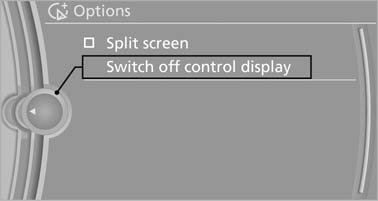
Switch off control display
Switching on
Press the controller again to switch the screen back on.
See also:
Manual transmission
Starting the engine
1. Depress the brake pedal.
2. Press on the clutch and shift to neutral.
3. Press the Start/Stop button.
The ignition is activated automatically for a certain
time and is sto ...
Phone book
Displays
The phone book accesses the contacts and
shows all contacts for which a phone number
has been stored. The entries can be selected to
make a call.
1. "Telephone".
2. "P ...
Opening
During opening, the trunk lid pivots back and up.
Ensure that adequate clearance is available before
opening.
Opening from the outside
Press the button on the trunk lid.
Press the button ...