
Filtering traffic bulletins
You can set which traffic bulletins appear on the map.
1. "Navigation"
2. "Map"
3. Open "Options".
4. "Traffic Info categories"
5. Select the desired categories.
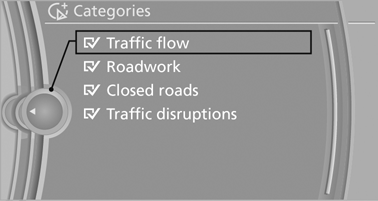
Traffic bulletins of the selected category are displayed on the map.
► Traffic bulletins that are relevant to the route
are always shown.
► For your own safety, traffic bulletins that notify
you of potentially dangerous situations,
such as wrong-way drivers, cannot be hidden.
See also:
Storage compartments
The following storage compartments are available
in the vehicle interior:
▷ Glove compartment on the front passenger
side.
▷ Without Smoker's package: Front storage
compartment, in ...
Determining the load limit
Determining the load limit
1. Locate the following statement on your vehicle’s
placard:
▷ The combined weight of occupants and
cargo should never exceed XXX kg or
YYY lbs. Otherwise, d ...
Locking and unlocking
Locking and unlocking
Pressing the buttons locks and unlocks the
doors and the trunk lid when the front doors are
closed, but they are not secured against theft.
The fuel filler flap remains u ...