
Last destinations
At a glance
The destinations previously entered are stored automatically.
The destinations can be called up and used as a destination for destination guidance.
Calling up the last destinat
1. "Navigation"
2. "Last destinations"
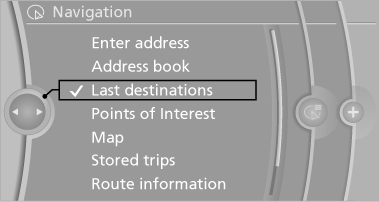
Starting destination guidance
1. "Navigation"
2. "Last destinations"
3. Select the destination.
4. "Start guidance"
Editing the destination
1. "Navigation"
2. "Last destinations"
3. Highlight the destination.
4. Open "Options".
5. "Edit destination"
Deleting the last destinations
1. "Navigation"
2. "Last destinations"
3. Highlight the destination.
4. Open "Options".
5. "Delete entry" or "Delete all last
destinations"
See also:
Child restraint fixing systems with a
tether strap
Mounting points
Mounting points
Depending on the vehicle equipment, there are
two outer or three mounting points for child restraint
fixing systems with a tether strap.
LATCH mounting eyes&l ...
Tire inflation pressure values up to
100 mph/160 km/h
528i
528i xDrive
535i
550i
535i xDrive
550i xDrive
...
Possible commands
Most menu items on the Control Display can be spoken as commands.
The available commands depend on which menu is currently selected on the Control
Display.
There are short commands for functions o ...