
Partition net
 Do not let the partition net snap back into
place
Do not let the partition net snap back into
place
Do not allow the partition net to snap back into
place; otherwise, there is a danger of injury and
the partition net could be damaged.◄
With a normal cargo area
1. Fold open the rear covers on the headliner.
2. Pull the partition net out of the case by the
strap.
3. Insert the bars into the brackets on both
sides in the headliner toward the front, arrow.
This is best performed from the rear seat.
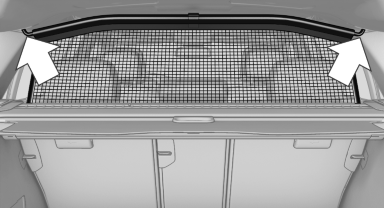
If the partition net is no longer needed: proceed in reverse order.
With an enlarged cargo area
1. Fold down the entire rear seat backrest.
2. Press the button, arrow 1, to unlock the case
on both sides.
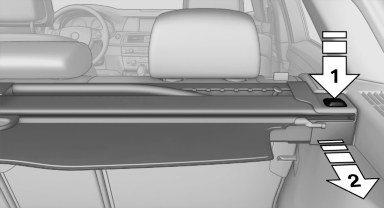
3. Pull the case rearward out of the two side
brackets, arrow 2. Make sure not to tilt it in
the process.
4. Slide the case all the way into the guides,
arrows 1, on the backs of the backrests.
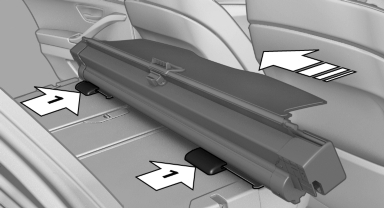
5. Fold open the front covers on the headliner.
6. Carefully pull out the partition net and insert
it into the brackets as in the normal cargo
area.
This is best performed from the front seat.
If the partition net is no longer needed: proceed in reverse order.
Finally, slide the case forward into the two brackets on the sides until it engages. The red warning fields disappear.
Tug on the case to check if it is properly locked in place.
See also:
X5 M in the Market
Purists might grumble about the revered M badge spreading to BMW's
crossovers, but as other manufacturers have shown, there's money to be made in
high-performance SUVs; you need only look at Merce ...
Display
Instrument cluster
Instrument cluster
Instrument cluster with enhanced
features
Instrument cluster with enhanced features ...
TeleService Battery Guard
TeleService Battery Guard continually checks
the battery charge level of the vehicle. If the battery
charge level falls below a certain value, a
notification is automatically sent to your service
...