
Information at a glance
Info display
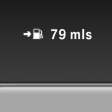 Repeatedly pressing the button
on the turn signal lever calls up
the following information on the
info display:
Repeatedly pressing the button
on the turn signal lever calls up
the following information on the
info display:
► Range.
► ECO PRO bonus range.
► Average fuel consumption.
► Current fuel consumption.
► Average speed.
► Date.
► Time of arrival.
When destination guidance is activated in the navigation system.
► Distance to destination.
When destination guidance is activated in the navigation system.
► Arrow view of navigation system.
When destination guidance is activated in the navigation system.
When the arrow view in the Head-up Display is inactive.
See also:
Opening/closing the glass sunroof andsliding visor together
Briefly press the switch twice
in
succession in the desired direction
past the resistance point.
The glass sunroof and sliding visor
move together. Pressing the
switch again stops the motion ...
Settings for the map view
The settings are stored for the remote control
currently in use.
1. "Navigation"
2. "Map"
3. "Options" Open.
4. "Settings"
Set the map view.
▷ &qu ...
Controls
1 Change entertainment sources
2 Change station/track
3 Programmable memory buttons
4 Volume, on/off
5 Change wave band ...