
Selection lists in theinstrument cluster
The concept
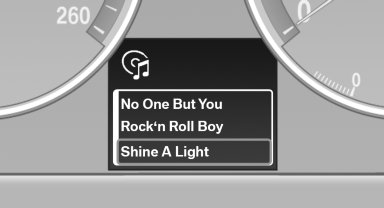
The following can be operated using the buttons and the thumbwheel on the steering wheel and the display in the instrument cluster:
► Current audio source.
► Redial on telephone.
► Activation of the voice activation system.
Activating a list and adjusting the setting
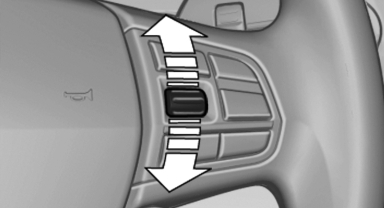
On the right side of the steering wheel, turn the thumbwheel to activate the corresponding list.
Using the thumbwheel, select the desired setting and confirm it by pressing the thumbwheel.
See also:
State-of-the-art diesel engines: high-torque, smooth-running and efficient
The sports sedan's BMW TwinPower Turbo diesel engines likewise incorporate
the very latest in BMW engine technology. Latest-generation common rail direct
injection, turbocharging and all-aluminium ...
Automatic headlamp control
Switch position : the low beams
are switched
on and off automatically, e.g., in tunnels, in twilight
or if there is precipitation. The indicator
lamp in the instrument cluster lights up.
A bl ...
Car care products
BMW recommends using cleaning and care
products from BMW, since these have been
tested and approved.
Car care and cleaning products
Follow the instructions on the container.
When cleaning the ...