
Using the door lock
General information
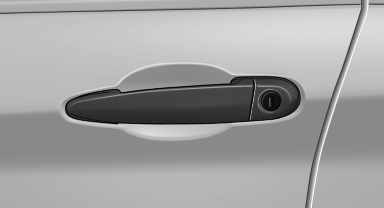
 Locking from the outside
Do not lock the vehicle from the outside if
there are people in it, as the vehicle cannot be
unlocked from inside without special knowledge.◄
Remove the key before pulling the door
handle
Before pulling the outside door handle, remove
the key to avoid damaging the paintwork and the key.◄
In some country-specific versions, the alarm system is triggered if the vehicle is unlocked via the door lock.
In order to terminate this alarm, unlock vehicle with the remote control, or switch on the ignition, if necessary, by emergency detection of the remote control.
In some vehicle equipment versions, only the driver's door can be unlocked or locked via the door lock.
Locking the doors and tailgate together
To lock all doors and the tailgate at once:
1. With the doors closed, lock the vehicle using
the button for the central locking system in
the interior.
2. Unlock and open the driver's or front passenger
door.
3. Lock the vehicle.
► Lock the driver's door using the
integrated key in the door lock, or
► Press down the lock button of the front
passenger door and close the door from
the outside.
The fuel filler flap can only be locked using the remote control.
Manual operation
If an electrical malfunction occurs, lock or unlock the vehicle using the integrated key via the door lock on the driver's door.
See also:
Tire size
Example: 255/55 R 19 107 V
255: nominal width in mm
55: aspect ratio in %
R: radial tire code
19: rim diameter in inches
107: load rating, not for ZR tires
V: speed rating, before the R on ZR ti ...
Assistance functions
Functional requirement
▷ Rear view camera is switched on.
▷ Tailgate is completely closed.
Pathway lines
Pathway lines
▷ Can be displayed in the image of the rear
view camer ...
Playing music
Music searchAll tracks for which additional information has been stored can be accessed by
the music search. Tracks without additional information can be called up via the
corresponding album.
1. ...