
Setting the voice dialog
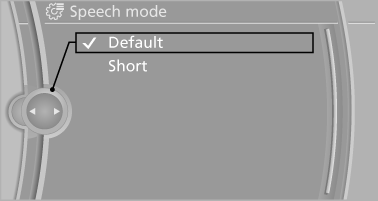
You can set whether the system should use the standard dialog or a shorter version.
In the shorter variant of the voice dialog, the announcements from the system are issued in an abbreviated form.
On the Control Display:
1. "Settings"
2. "Language/Units"
3. "Speech mode:"
4. Select the setting.
See also:
Activating the High-beam Assistant
1. Turn the light switch to or
.
2. Press the button on the turn signal lever, arrow.
The indicator lamp in the
instrument
cluster lights up.
When the lights are switched on, the
high be ...
Comfort function
▷ Press the switch twice with
the sunroof open:
The sunroof is raised.
▷ When the sunroof is raised,
briefly press the switch twice
in the opening direction:
The sunroof is opene ...
Fuel quality
Fuels that are marked on the gas pump as containing
metal must not be used.
Refuel only with unleaded gasoline without
metallic additives.
Do not refuel with any leaded gasoline or gasoline
with ...