
Automatic Service Request
The TeleService data necessary for servicing the vehicle are automatically sent to your service partner prior to the service deadline. If possible, the service partner will contact you and a service appointment can be arranged.
To check when your service partner was notified:
1. "Vehicle Info".
2. "Vehicle status"
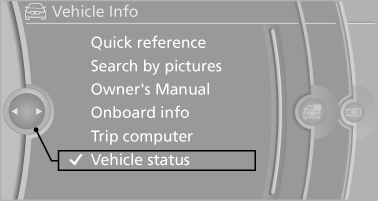
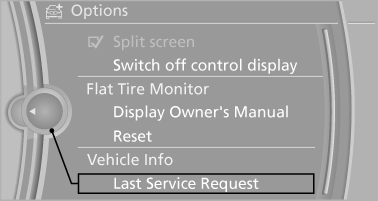
3. Open "Options".
4. "Last Service Request"
See also:
Energy recovery
The energy of motion of the vehicle
is converted to electrical energy
while coasting. The vehicle
battery is partially charged and
fuel consumption can be lowered.
Odometer and trip odomete ...
Hydroplaning
On wet or slushy roads, a wedge of water can
form between the tires and road surface.
This phenomenon is referred to as hydroplaning.
It is characterized by a partial or complete
loss of contact ...
Using contact data
At a glance
Contact data from appointments, tasks, text
messages, emails, and notes can be stored or
selected.
Displaying contact or selecting phone
number
1. "Use contact
data"
...