
Tasks
Displaying the task list
Display tasks that are due within the next 90 days.
1. "Office".
2. "Tasks"
Sorting the task list
1. Select the header in the task list.
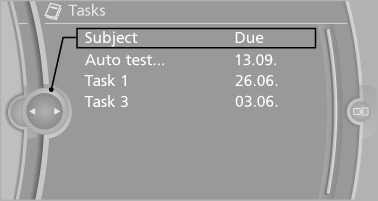
2. Select the sorting criterion:
▷ "Priority (!)".
▷ "Subject".
▷ "Due date"
Displaying the task
1. Select the desired task.
2. Scroll in the task if necessary:
▷ Turn the controller.
▷  Select the symbol.
Using contact data
Contact data from appointments, tasks, text messages, e-mails and notes can be saved or selected.
Reading the task out loud
Read the task out loud.
See also:
Functional requirements
The system must have been initialized when the
tire inflation pressure was correct; otherwise,
reliable signaling of a flat tire is not ensured. Initialize
the system after each correction of th ...
Variable sport steering
The variable sport steering increases the steering
angle of the front wheels at large steering
wheel angles, e.g., in tight curves or when parking.
Steering becomes more direct.
It also varies t ...
Tool kit
The tool kit is located in a fold-down cover in the
trunk lid.
Unscrew the wing nut to open. ...