
Filtering the message list
The message list can be filtered when more than one type of message exists.
1. "Filter:"
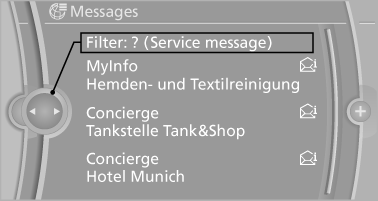
2. Select the type of message.
▷ "All"
All messages are displayed.
▷ "E-mail"
Only e-mails from the mobile phone are displayed.
▷ "Service message"
Only messages from the BMW Assist Concierge service, My Info and BMW Info are
displayed.
▷ "Text message"
Only text messages from the mobile phone are displayed.
See also:
The concept
This system can replace up to three different
hand-held transmitters for various types of remote-
controlled equipment, such as garage
doors or lighting systems.
The hand-held transmitter signa ...
Tire condition
Inspect your tires frequently for tread wear, signs of damage and for foreign
objects lodged in the tread. Check the tread depth.
Minimum tread depthThe tread depth should not drop below 0.12 in/3 ...
Functional requirements
▷ There are no external sources of interference
nearby.
▷ To lock the vehicle, the remote control must
be located outside of the vehicle.
▷ The next unlocking and locking cycle ...