
Incoming call
Receiving calls
If the number of the caller is stored in the phone book and is transmitted by the network, the name of the contact is displayed. Otherwise, only the phone number is displayed.
If more than one phone number is assigned to a contact, only the name of the contact is displayed.
For calls on the additional telephone, the number is only displayed if it is transmitted by the network.
An incoming call to the additional telephone is automatically rejected if there is an active call on the other telephone.
Accepting a call
Via iDrive
 "Accept"
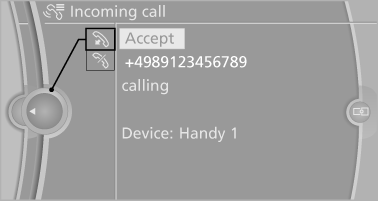
Via the button on the steering wheel
 Press the button.
Via the instrument cluster
"Accept"
Rejecting a call
Via iDrive
 "Reject"
Via the instrument cluster
"Reject"
Ending a call
Via iDrive
 "End call"
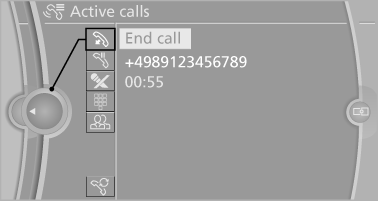
Via the button on the steering wheel
 Press the button.
Via the instrument cluster
"End call"
See also:
Reading out loud
Text messages, e-mails, appointment entries,
tasks, and notes can be read out loud.
1. Select the desired message, appointment,
task, or note.
2.
Select the symbol.
The following options ar ...
Front: automatic transmission
Opening
Press on the cover.
Emptying
Take out the insert.
Lighter
Press on the cover
Push in the lighter.
The lighter can be removed as
soon as it pops back out.
Danger of burns
Only ...
Engine oil temperature
Cold engine: the pointer is at
the low temperature end.
Drive at moderate engine and
vehicle speeds.
Normal operating temperature:
the pointer is in the middle
or in the left hal ...