
Playing music
Music search
All tracks for which additional information has been stored can be accessed by the music search. Tracks without additional information can be called up via the corresponding album.
1. "CD/Multimedia".
2. "Music collection".
3. "Music search"
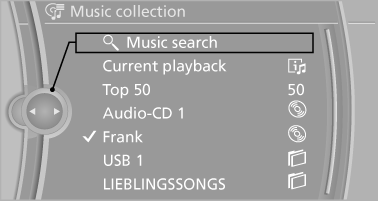
4. Select the desired category.
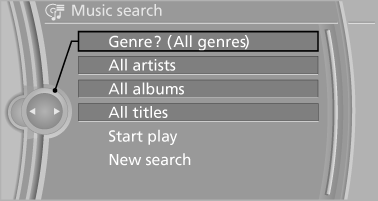
5. Select the desired entry:
▷ Select "A-Z search", and input the desired entry.
▷ Select the desired entry from the list.
6. Select other categories if you wish.
The tracks found are listed in alphabetical order.
Not all categories need to be selected. For example, to search for all tracks by a certain artist, call up that artist only. All of the tracks by that artist are then displayed.
7. "Start play".
The list of tracks is repeated automatically.
Restarting the music search
"New search"
Current playback
The list of tracks that was generated last by the music search, or the album that was selected last.
1. "CD/Multimedia".
2. "Music collection".
3. "Current playback"
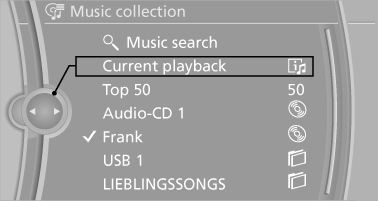
4. Select the desired track, if necessary.
Top 50
The 50 most frequently played tracks.
1. "CD/Multimedia".
2. "Music collection".
3. "Top 50".
4. Select the desired track, if necessary.
Albums
All stored albums, listed in order of their storage dates.
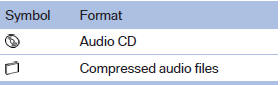
1. "CD/Multimedia".
2. "Music collection".
3. Select the desired album.
Depending on the album, the tracks or the subdirectories of the album are displayed.
The first track is played automatically, if possible.
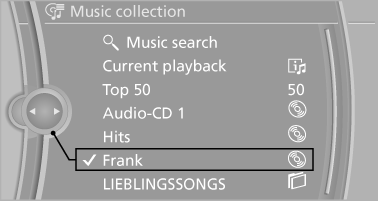
4. Change directories if needed to select tracks.
To go up a level in the directory: move the controller to the left.
Random playback
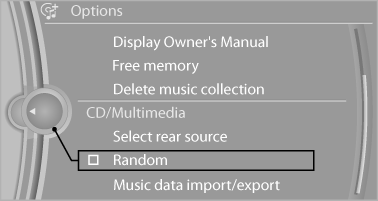
All tracks of the selection are played back in random order.
1. "CD/Multimedia".
2. "Music collection".
3. Open "Options".
4. "Random"
See also:
Notes
Shatter-proof containers and no hot
drinks
Use light and shatter-proof containers and do
not transport hot drinks. Otherwise, there is the
increased danger of injury in an accident.◀
...
Correctly adjusted head restraint
A correctly adjusted head restraint reduces the
risk of injury to cervical vertebrae in the event of
an accident.
Adjusting the head restraint
Correctly adjust the head restraints of all
occu ...
Service and WarrantyInformation Booklet for USmodels and Warranty andService Guide Booklet forCanadian models
Please consult your Service and Warranty Information
Booklet for US models and Warranty and
Service Guide Booklet for Canadian models for
additional information on service requirements.
Maintena ...