
At a glance
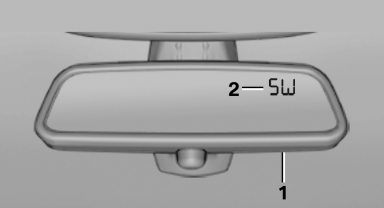
1 Control button
2 Mirror display
See also:
The concept
This system can be used to select a desired
speed that the vehicle will maintain automatically
on clear roads.
To the extent possible, the system automatically
adjusts the speed to a slower veh ...
Adjusting
Danger of burns when screen is folded out
Do not reach behind the screen; otherwise,
there is the danger of getting burned. The
back of the screen can become very hot.
To fold out: pull ...
Fold-out position of the wipers
Fold-out position of the wipers
Required when changing the wiper blades or
under frosty conditions, for example.
1. Switch off the ignition.
2. Under frosty conditions, ensure that the
wiper bl ...