
Displays
Program selection

Pressing the button displays a list of the selectable programs.
Selected program

The selected program is displayed in the instrument cluster.
Display on the Control Display
Program changes can be displayed on the Control Display.
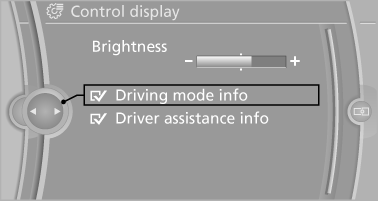
1. "Settings"
2. "Control display"
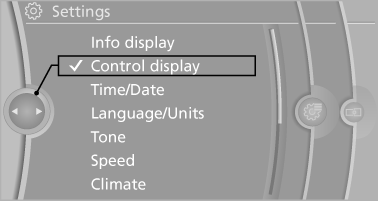
3. "Driving mode info"
See also:
Changing wheels
Your BMW is equipped with run-flat tires as standard. This eliminates the need
to change a wheel immediately in the event of a puncture.
For information on continuing to drive with a damaged tire, ...
Tire inflation pressure X6 xDrive35i
...
Storing favorites
Up to 30 favorites can be stored in the favorites
list. Available favorites are artist, track, game,
league, and team.
Storing the artist, track, or game
It is only possible to store favorites t ...