
Setting the clock
1.
 Press the button. The main menu is
displayed.
Press the button. The main menu is
displayed.
2. Turn the controller until "Settings" is highlighted, and then press the controller.
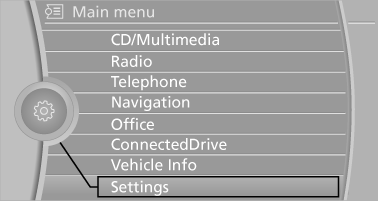
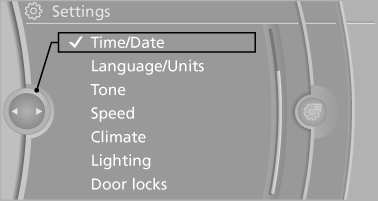
3. If necessary, move the controller to the left to display "Time/Date".
4. Turn the controller until "Time/Date" is highlighted, and then press the controller.
5. Turn the controller until "Time:" is highlighted, and then press the controller.
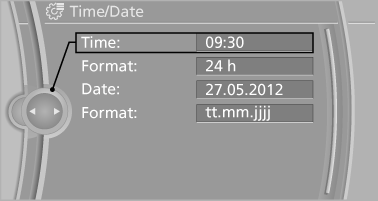
6. Turn the controller to set the hours and press the controller.
7. Turn the controller to set the minutes and press the controller.
See also:
Safety switch for the rear
Press the button on the
driver's door if
children are being transported in the
rear.
This locks various functions so that they cannot
be operated from the rear: safety switch. ...
Intermediate destination options
1. "Map"
2. "Guidance"
3. "Display all trip destinations"
4. Select an intermediate destination.
▷ "Edit destination"
▷ "Reposition dest. ...
Decreasing speed
Repeatedly pull the lever to the resistance point
or beyond, arrow 2, until the desired speed is
displayed.
▷ Each time the lever is pulled to the resistance
point, the desired speed is d ...