
Changing settings
1. Select a field.
2. Turn the controller until the desired setting is displayed.
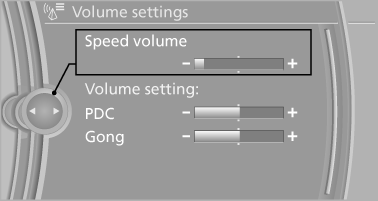
3. Press the controller.
See also:
Entering an address using a command
1. Press the
button on the steering
wheel.
2. Enter address
3. Wait for a request from the system.
4. Say the address in the suggested order.
5. Continue making the entry as prompted by
the ...
After refilling diesel exhaust fluid
Incorrect fluid
Incorrect fluids
After refilling with the incorrect fluid, e.g.,
antifreeze for windshield wiper fluid, do not start
the engine because this could result in a fire
hazard. ...
Releasing
With the ignition switched on:
Manual transmission: Press the
switch
while the brake or clutch is pressed.
Automatic transmission: Press the switch while
the brake is pressed or transmission ...