
Services status
Displaying available services
Display of all services available in the vehicle.
1. "BMW Assist" or "ConnectedDrive"
2. "Service Status"
3. "Available services"
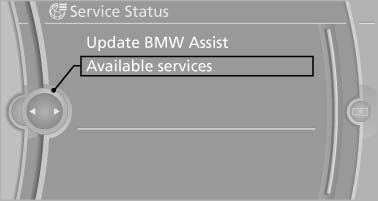
Displaying available services
Updating BMW Assist
Manual update of TeleService and BMW Assist.
1. "BMW Assist" or "ConnectedDrive"
2. "Service Status"
3. "Update BMW Assist"
Data transfer
During the updating of BMW services, display the status of the data transfer.
1. "BMW Assist" or "ConnectedDrive"
2. Open "Options".
3. "Data transfer"
See also:
NORMAL
For a balanced tuning with maximum driving stabilization.
Activating NORMAL
Press the button repeatedly until
the
program display in the tachometer
goes out.
In certain situations, the syste ...
For the 530i, 535i, 550i, 525d,
530d and 535d: check oil level
The concept
The oil level is monitored electronically and displayed
on the Control Display.
Requirements
▷ The engine must be running and warm after
the vehicle has been driven for at lea ...
Pairing/unpairing the mobile phone
General information
The following functions are available:
► Use of a mobile phone as a telephone.
► Use of a mobile phone as an additional telephone.
► Use of a mobile phone a ...